So, you’ve got a project involving acrylic, and you need it to look sharp. Maybe it’s a custom sign, a display piece, or something more artistic. If you’re wondering how to get those clean cuts and intricate details, especially with acrylic, CNC routing is definitely worth looking into. It’s a method that’s really changed the game for working with this material. We’re going to break down why CNC routing for acrylic fabrication is such a good choice and what you need to know to get the best results.
Key Takeaways
- CNC routing offers high precision and versatility for cutting and engraving acrylic, making it suitable for complex designs.
- Choosing the right type of acrylic (cast vs. extruded) and the correct tooling (bits, software) is important for successful fabrication.
- Proper machine setup, including feed rate, RPM, and depth, along with best practices for securing material, minimizes common cutting issues like melting or chipping.
- Compared to laser cutting, CNC routing can be more cost-effective for larger projects and offers better 3D capabilities, though it may require more finishing.
- Features like vacuum tables, multi-tool heads, and specific spindle capabilities on CNC routers further improve efficiency and precision in acrylic fabrication.
Precision And Versatility In Acrylic Fabrication
Acrylic fabrication has become a go-to for many projects because it’s so adaptable and strong. When you’re working with acrylic, understanding its basic properties is the first step. It’s clear, tough, and can be shaped in many ways, making it a popular choice over glass for displays, protective barriers, and even artistic pieces.
Understanding Acrylic Material Properties
Acrylic, chemically known as polymethyl methacrylate (PMMA), offers a unique combination of benefits. Its transparency is a major draw, allowing for excellent light transmission, often surpassing that of glass. It’s also surprisingly durable, resisting impacts much better than traditional glass, which means fewer worries about shattering. This material holds its shape well even when temperatures change, a trait that’s quite important when you’re running it through a CNC machine.
Choosing Between Cast And Extruded Acrylic
There are two main types of acrylic you’ll encounter: cast and extruded. They both have their place, and knowing the difference helps pick the right one for your job.
- Cast Acrylic: This type is made by pouring liquid acrylic into a mold. It tends to be more resistant to melting when cut and often has a better surface finish right off the machine. It’s a good choice for detailed work and when you need that extra bit of polish.
- Extruded Acrylic: This is made by pushing acrylic through rollers. It’s usually less expensive than cast acrylic and has a more consistent thickness, which is great for projects that need straightforward cuts.
The choice between cast and extruded acrylic often comes down to a balance between cost, required finish, and the complexity of the design. For intricate designs and a superior finish, cast acrylic is often preferred, even though it might cost a bit more. Extruded acrylic is a solid, budget-friendly option for simpler projects.
The Role Of CNC Routing In Acrylic Fabrication
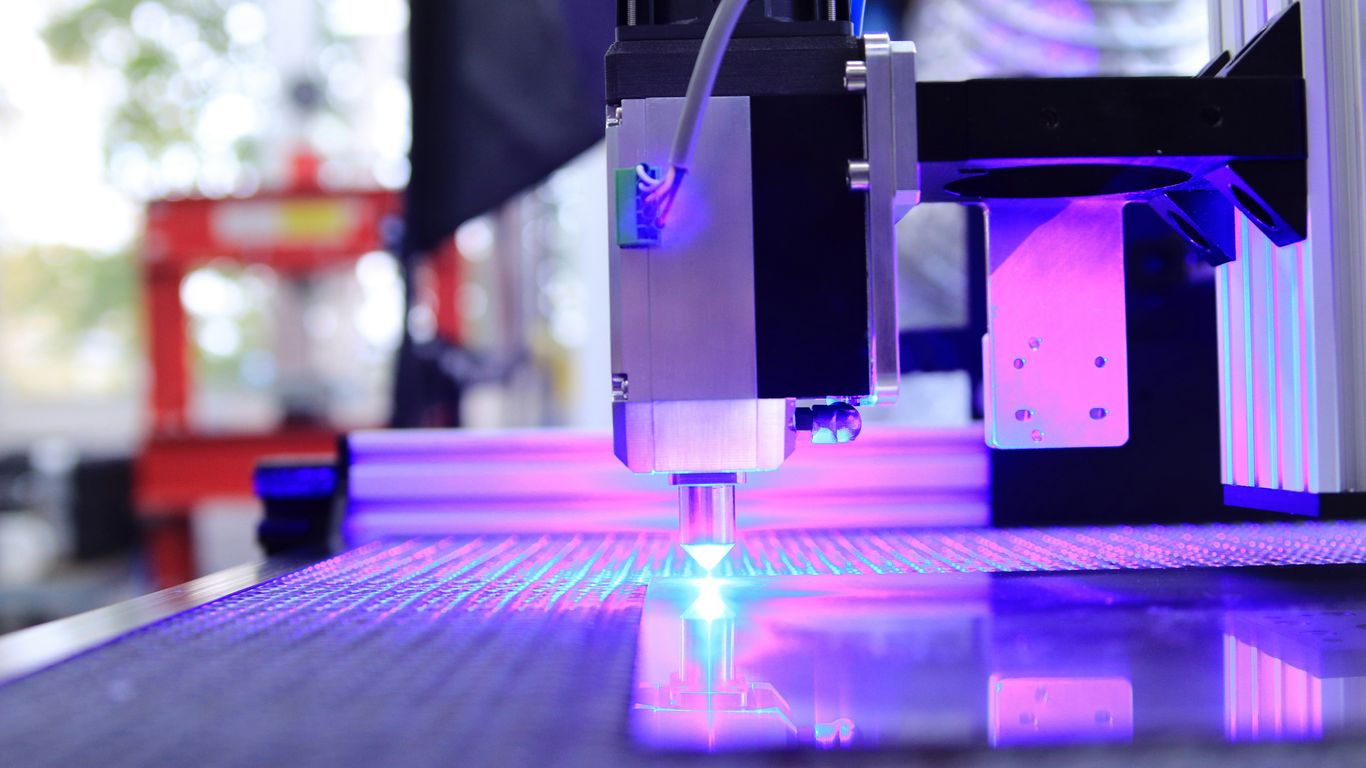
CNC routing plays a big part in making complex acrylic parts. It uses computer commands to guide a cutting tool, allowing for very precise shapes and details that would be hard to achieve by hand. This precision is key for everything from custom signage to intricate display components. For businesses needing exact cuts, services offering plexiglass cutting in Selangor can be a great resource. CNC routing can handle different thicknesses of acrylic and can create both 2D shapes and 3D forms, giving designers a lot of freedom. It’s a method that brings accuracy and the ability to create detailed designs to the fabrication process, making it possible to produce high-quality acrylic items consistently. For those in the New York area, CNC routing services in NYC are available for projects involving thick acrylic and large panels.
Achieving Superior Results With CNC Routing
Getting the best results from your CNC router when working with acrylic isn’t just about having the right machine; it’s about how you set it up and use it. Think of it like tuning a musical instrument – get the settings right, and you get beautiful music. Get them wrong, and it’s just noise. CNC routing offers a way to get really clean, precise cuts on acrylic, which is great for all sorts of projects, from signs to custom parts. The key is in the details of the setup and the cutting process itself.
Optimizing Machine Setup For Accurate Cuts
Getting your CNC router ready for acrylic involves a few important steps. It’s not a one-size-fits-all situation. You need to make sure the material is held down tight so it doesn’t move around during the cut. A vacuum table is often the best way to do this for acrylic sheets, as it creates a strong, even hold across the entire surface. If you don’t have a vacuum table, using clamps strategically placed outside the cutting area is the next best thing. You also need to make sure the machine itself is running smoothly, with no wobbles or loose parts that could affect the cut quality. Proper calibration is a big part of this.
Best Practices For Cutting Acrylic
When you’re actually cutting, there are a few things to keep in mind. You want to use a feed rate and spindle speed that are appropriate for acrylic. Too fast, and you risk melting the material; too slow, and you might get rough edges or even chip the acrylic. It’s often better to take lighter passes rather than trying to cut through thick acrylic all at once. This puts less stress on the bit and the material. Here are some general guidelines:
- Use a single-flute or two-flute bit designed for plastics. These bits are made to clear chips effectively and reduce heat buildup.
- Keep the spindle speed moderate. A common starting point is between 10,000 and 18,000 RPM, but this can vary.
- Adjust feed rates based on the bit and material thickness. You’re looking for a clean chip, not melted plastic.
- Consider climb cutting. This method can often produce a smoother edge finish on acrylic compared to conventional cutting.
Minimizing Common Cutting Issues
Melting and chipping are probably the most common headaches when routing acrylic. Melting happens when the friction from the cutting bit generates too much heat, causing the acrylic to soften and gum up the bit. Chipping, on the other hand, is when small pieces break off the edge, leaving a rough surface. Both issues are usually related to incorrect speeds and feeds, or using the wrong type of cutting tool. Sometimes, the acrylic sheet itself might have internal stresses that can contribute to chipping, especially if it’s extruded acrylic. Choosing the right acrylic material and the correct bit is a big step in avoiding these problems. If you’re seeing issues, it’s often a good idea to slow down your feed rate or increase your spindle speed slightly, and always make sure your bit is sharp.
The goal with CNC routing acrylic is to achieve a clean, smooth edge that requires minimal post-processing. This means paying close attention to the interplay between your cutting tool, the machine’s speed and feed settings, and how the material is held down. Small adjustments can make a significant difference in the final outcome, turning a potentially frustrating process into a smooth operation.
Using CNC machining transforms digital designs into physical objects with precision. This process is ideal for creating custom acrylic parts with high accuracy and efficiency.
Leveraging CNC Routing For Intricate Designs
When you need to create something truly unique with acrylic, CNC routing really shines. It’s not just about making straight cuts; this technology opens up a world of possibilities for complex shapes, detailed carvings, and even 3D effects that would be incredibly difficult, if not impossible, with other methods. Think about creating custom signage with elaborate lettering or artistic panels with flowing, organic patterns. CNC routers can handle these jobs with impressive accuracy.
Complex Designs And 3D Effects
CNC routing excels at producing intricate designs because the cutting tool can move in multiple axes. This allows for the creation of detailed profiles, chamfered edges, and even sculpted surfaces. You can achieve a level of depth and complexity that transforms a flat sheet of acrylic into a piece of art. For projects requiring multi-dimensional features, like custom display stands or architectural elements, CNC routing is often the go-to solution. It’s capable of handling various thicknesses and types of acrylic, including both cast and extruded, providing high levels of accuracy.
Acrylic Engraving Possibilities
Beyond cutting shapes, CNC routers are fantastic for engraving designs directly into the acrylic surface. This can range from simple text and logos to detailed patterns and textures. The depth and precision of the engraving can be controlled, allowing for a wide variety of visual effects. This is particularly useful for creating personalized items, informational plaques, or decorative elements where a recessed design is desired. The ability to engrave opens up a lot of creative avenues for custom signage and artistic panels.
Creating Custom Signage And Artistic Panels
For businesses and artists alike, CNC routing offers a way to produce truly custom signage and artistic panels. Imagine a sign with uniquely shaped letters, a layered effect, or a textured background – all cut from acrylic. Similarly, artistic panels can feature complex geometric patterns, abstract designs, or even detailed imagery. The repeatability of CNC machines means you can produce multiple identical pieces with consistent quality, which is a big plus for any production run. If you’re looking for precision fabrication with clean edges, services like CNC routing in NYC can help bring these complex designs to life.
The versatility of CNC routing means that even seemingly simple acrylic sheets can be transformed into highly detailed and visually striking components. This capability is what sets it apart for projects demanding a high degree of customization and aesthetic detail.
Key Considerations For Tooling And Materials
When you’re getting ready to cut acrylic with a CNC router, picking the right tools and materials makes a big difference. It’s not just about having a fancy machine; the bits you use and the quality of the acrylic itself play a huge role in how well your project turns out. Getting this part wrong can lead to melted plastic, rough edges, or even broken pieces, which is a real pain.
Selecting Appropriate Tools For Acrylic
Acrylic can be a bit tricky to work with. It’s not as forgiving as wood, and it can melt if you’re not careful. That’s why the tools you choose are so important. You need bits designed to cut plastic cleanly without generating too much heat. Single or double-flute bits are often recommended for acrylic because they help clear chips away efficiently, reducing the chance of melting. The speed at which the tool spins (RPM) and how fast it moves through the material (feed rate) also need to be dialed in just right. Too fast, and you risk melting; too slow, and you might get chipping or a rough finish.
The Importance Of Bit Selection
Think of your cutting bit as your primary interface with the acrylic. A dull or improperly shaped bit will fight you every step of the way. For acrylic, you generally want bits with a sharp, polished cutting edge. Bits designed for plastics, often called ‘O-flute’ or ‘up-cut/down-cut’ bits depending on the desired edge finish, are common. An up-cut bit pulls chips up and away from the cut, which is good for chip evacuation but can sometimes lift thin material. A down-cut bit pushes chips down, which can help hold the material but might pack chips in the cut. Sometimes, a compression bit, which combines both up and down cutting edges, is used for a clean finish on both sides of the material. Choosing the right bit geometry is as important as selecting the correct material grade.
Utilizing Software For Design And Production
Before you even touch the machine, your design software is working hard. You’ll use CAD (Computer-Aided Design) software to create your acrylic part’s shape. Then, CAM (Computer-Aided Manufacturing) software translates that design into toolpaths – the actual instructions the CNC router follows. This software lets you specify cutting depths, speeds, and other parameters. It’s also where you can simulate the cutting process to catch potential problems before they happen. Good CAM software can help optimize toolpaths to reduce cutting time and minimize material waste, which is a big win for efficiency. For complex designs, the software is key to figuring out how to achieve those intricate shapes and 3D effects you’re after. You can find software that helps with design considerations for CNC machining.
Proper material hold-down is critical. Acrylic can shift during cutting, leading to inaccurate dimensions or even tool crashes. Vacuum tables are excellent for this, but mechanical clamps or strong double-sided tape can also work, provided they don’t interfere with the tool path. Always double-check that your material is secured firmly before starting any cut.
Here are some common issues and how to address them:
- Melting: This usually means too much heat. Try reducing your spindle speed (RPM), increasing your feed rate, or using a bit designed for plastics. Air blasts or mist cooling can also help.
- Chipping/Cracking: This can happen if the material is too thin, the bit is dull, or the feed rate is too high. Use multiple shallow passes instead of one deep cut, and ensure your bit is sharp.
- Rough Edges: Often caused by a dull bit or incorrect cutting parameters. A sharp, polished bit and the right speed/feed combination are key. Sometimes, a secondary finishing pass can clean up edges.
- Poor Surface Finish: This can be related to chip evacuation. If chips aren’t cleared, they can get recut, leaving marks. Ensure your bit is clearing chips effectively and consider the direction of your cut relative to the material grain if applicable (though acrylic doesn’t have a grain like wood).
When selecting materials, consider not just the acrylic itself but also how it will be used. For instance, if clarity is paramount, cast acrylic is often preferred over extruded acrylic. Cast acrylic generally has better optical properties and is less prone to stress marks. Extruded acrylic, however, is often more cost-effective and easier to machine. Understanding these differences helps in making your material selection for the project.
Comparing CNC Routing With Other Fabrication Methods
When you’re working with acrylic, figuring out the best way to cut and shape it is a big deal. CNC routing is a popular choice, but it’s not the only game in town. Let’s look at how it stacks up against other methods, especially laser cutting, which is another common option for plastics.
CNC Routing Versus Laser Cutting For Acrylic
Think of CNC routing like using a tiny, super-precise router bit that spins really fast. It physically carves away the material. Laser cutting, on the other hand, uses a focused beam of light to melt or vaporize the material. This difference in how they work leads to some key distinctions:
- Material Thickness: CNC routers can generally handle thicker acrylic sheets more easily than laser cutters. The physical bit has more depth. Laser cutters can struggle with thicker materials, sometimes leading to a melted or rough edge.
- Edge Finish: CNC routing often leaves a smooth, flame-polished-like edge on acrylic without any extra steps. Laser cutting can also produce a smooth edge, but it might have a slight frosted appearance, which can be desirable for some looks but not others.
- Kerf Width: The ‘kerf’ is the width of the cut. CNC routers have a wider kerf because of the physical bit size. Laser cutters can achieve a much narrower kerf, allowing for more intricate details and tighter spacing between cuts.
- Material Contamination: Laser cutting can sometimes leave a residue or discoloration on the acrylic surface, especially if the settings aren’t perfect. CNC routing, being a mechanical process, typically avoids this.
The choice often comes down to the specific demands of your project, balancing speed, detail, and material thickness.
Advantages Of CNC Routing
So, why pick a CNC router for your acrylic projects?
- Versatility: Beyond just cutting, CNC routers can also engrave, drill holes, and create grooves all on the same machine. This means you can do multiple operations without switching tools or machines.
- Edge Quality: As mentioned, acrylic cut with a CNC router often has a clean, polished edge right off the machine, saving you time on finishing.
- Thickness Capability: They are well-suited for cutting thicker acrylic sheets where lasers might falter.
- Repeatability: Once you have your design programmed, a CNC router can produce identical parts over and over with very little variation. This is great for batch production.
CNC routing excels when you need to cut thicker materials, create smooth edges directly, or perform multiple operations like drilling and grooving on the same part. It’s a robust method for many acrylic applications.
Limitations Of CNC Routing
It’s not all perfect, though. Here are some things to keep in mind:
- Speed on Thin Materials: For very thin acrylic or jobs requiring extremely intricate, fine details, a laser cutter might be faster.
- Tool Wear: The spinning bit wears down over time and needs to be replaced. This is a consumable cost. Lasers, while requiring maintenance, don’t have a physical bit that wears down in the same way.
- Setup Time: While cutting can be fast, setting up the machine, securing the material properly (often with vacuum tables), and loading the correct tool can take time, especially for complex jobs.
- Material Range: While great for acrylic and other plastics, CNC routers aren’t the best choice for very hard metals or applications requiring extreme rigidity compared to dedicated milling machines. For acrylic, this is less of a concern, but it’s good to know the machine’s limits. You can find more information on CNC cutting capabilities.
Ultimately, understanding these differences helps you pick the right tool for your specific acrylic fabrication needs. For many complex acrylic designs, the precision and versatility of a CNC router make it a top contender.
Enhancing Production With CNC Router Features
Relevant Features For Acrylic Cutting Projects
When you’re working with acrylic for complex projects, the right features on your CNC router can make a big difference. Think about the machine’s rigidity and how well it can hold the material steady. These things aren’t just minor details; they directly impact how clean your cuts are and how accurate your final pieces turn out. For instance, a machine with a robust frame will vibrate less, leading to smoother edges on the acrylic.
Some features are particularly helpful for acrylic:
- Variable Spindle Speed: Acrylic can melt if cut too slowly or with too much friction. Being able to adjust the spindle speed precisely helps manage heat buildup.
- Dust Collection System: While acrylic doesn’t produce wood dust, it creates fine plastic particles. A good dust collection system keeps your workspace clean and prevents these particles from interfering with the cutting process.
- Automatic Tool Changer (ATC): If your project involves multiple steps, like cutting and then engraving, an ATC can switch bits automatically. This saves a lot of time compared to stopping the machine to change tools manually.
Vacuum Tables And Material Hold-Down
Keeping the acrylic sheet perfectly still is non-negotiable for precise cuts. This is where vacuum tables shine. They create a strong suction across the entire surface of the table, holding the material down firmly. This eliminates the need for clamps that can get in the way of the cutting tool or leave marks on the material. For acrylic fabrication, a reliable material hold-down system is key to preventing movement during machining.
Beyond vacuum tables, other methods exist:
- Mechanical Clamps: These are more traditional but can still be effective if placed strategically away from the cutting path.
- Double-Sided Tape: For smaller or less demanding jobs, strong double-sided tape can sometimes suffice, though it’s less secure for intricate work.
- Fixturing: Custom-made jigs or fixtures can be designed to hold specific acrylic shapes securely in place.
Multi-Tool Heads And Spindle Capabilities
For projects that require different types of operations, like cutting, drilling, and engraving acrylic, having a CNC router with multi-tool capabilities can significantly speed things up. An automatic tool changer, as mentioned, is a prime example. It allows the machine to switch between different bits without operator intervention. This means less downtime and a more continuous workflow.
Consider the spindle itself. For acrylic, you generally want a spindle that can operate at higher RPMs. This helps create a cleaner cut by melting the plastic just enough to seal the edge, rather than chipping it. The power of the spindle also matters; a more powerful spindle can handle larger bits or cut through thicker acrylic more easily.
The combination of a high-speed spindle and an efficient tool-changing system transforms a CNC router from a cutting tool into a versatile fabrication station. This allows for complex designs with multiple operations to be completed in a single setup, reducing errors and improving overall project efficiency.
These advanced features contribute to making CNC routing a highly efficient method for complex acrylic fabrication, allowing for intricate designs and repeatable accuracy. The automation and efficiency provided by these features are what set CNC routers apart for demanding projects.
Cost-Effectiveness And Efficiency In Fabrication
When you’re looking at fabricating complex acrylic pieces, the financial side of things really matters. While the initial investment in a CNC router might seem like a lot, it often pays for itself pretty quickly. Think about it: the precision of a CNC machine means less material gets wasted. Instead of rough cuts that leave you with a pile of unusable scraps, you get clean, accurate edges every time. This reduction in waste directly translates to savings on your raw materials over the long haul.
Long-Term Benefits Of CNC Routing
The efficiency gains from using a CNC router are pretty significant. Once a design is programmed, the machine can run with minimal supervision. This frees up your team to focus on other tasks, like design refinement or quality checks, rather than spending hours on repetitive cutting. This automation also means you can produce parts much faster than with manual methods. For projects that need a lot of identical pieces, this consistency is a huge plus. You get the same quality cut, every single time, which is great for customer satisfaction and reduces the need for rework.
Automated Efficiency And Repeatability
CNC routers excel at producing identical parts. This repeatability is a major advantage for any project requiring uniformity. The machine follows the digital blueprint exactly, so whether you’re making one piece or a hundred, they’ll all be the same. This level of automation not only speeds up production but also cuts down on labor costs. You don’t need as many people to operate the machine, and the ones who do can focus on more skilled work. It’s a smart way to streamline your workflow.
Optimizing Material Utilization
One of the hidden costs in fabrication is material waste. CNC routers, especially when paired with smart nesting software, can arrange your cut paths in a way that uses the acrylic sheet most effectively. This means getting more parts out of each sheet, which is good for your budget and also better for the environment. It’s a win-win situation.
The ability to precisely cut complex shapes and patterns with minimal error is a core benefit. This precision reduces the need for secondary finishing operations, saving both time and labor costs associated with smoothing or re-cutting.
Here’s a quick look at how CNC routing stacks up:
- Reduced Material Waste: Optimized cutting paths minimize offcuts.
- Lower Labor Costs: Automation requires less direct supervision.
- Faster Production Times: Machines can operate continuously and quickly.
- Consistent Quality: Every part is cut to the same exact specifications.
- Complex Designs Made Easy: Intricate patterns are achievable without extensive manual effort.
When it comes to making things, we focus on being both affordable and efficient. This means we work hard to get you the best results without costing too much. We want to make sure that the way we build things is smart and saves you money.
Want to see how we can help you save? Visit our website today to learn more!
Wrapping Up Your Acrylic Projects
So, when it comes down to it, using a CNC router for your acrylic projects really opens up a lot of doors. You can get those super precise cuts and intricate designs that are just tough to do by hand. It’s all about picking the right tools, getting your machine set up correctly, and just practicing a bit. Whether you’re making signs, custom parts, or something totally new, a CNC router can help you get it done right. Don’t be afraid to try different things and see what you can create. The possibilities are pretty much endless.
Frequently Asked Questions
What makes CNC routing great for cutting acrylic?
CNC routing is awesome for acrylic because it’s super precise. It uses a spinning tool to cut, which means it can make really detailed shapes and even carve into the acrylic. This makes it perfect for projects that need fancy designs or a 3D look.
Can CNC routers handle different kinds of acrylic?
Yes, they can! There are two main types of acrylic: cast and extruded. CNC routers can cut both. Cast acrylic is better for detailed work and has a nicer finish after cutting, while extruded acrylic is usually cheaper and works well for simple, straight cuts.
What’s the difference between CNC routing and laser cutting for acrylic?
Laser cutting makes really clean, polished edges instantly, which is great. But CNC routing is often better for thicker acrylic and can create 3D effects that lasers can’t. CNC routers also tend to be more affordable for bigger jobs.
How do I make sure my CNC router cuts acrylic perfectly?
To get the best cuts, you need to set up your machine right. This means choosing the best cutting speed, how deep the tool cuts, and using the right kind of cutting bit. Using a special cooling mist can also help keep the acrylic from melting and give you smoother edges.
What kind of tools should I use for cutting acrylic with a CNC router?
For acrylic, it’s best to use bits made of solid carbide, especially ones called ‘O-flute’ bits. These have a single cutting edge that helps prevent the acrylic from melting and sticking to the bit. For engraving, a special V-shaped bit is usually the way to go.
Can CNC routers be used for more than just cutting acrylic?
Absolutely! Besides cutting and engraving acrylic, CNC routers are used for all sorts of things. They can cut wood, plastic, and even metal. Some special setups can even be used to cut leather, making them super versatile for many different crafting and building projects.